
Printing and Copying
Printing and copying are available at your local library. Send your print jobs to the library using the ePrinting service below, or print from one of the library’s computers. Printing/copying is $0.25 per page (black & white) and $0.50 per page (color). Cash and card payments accepted. *
Use your library card for up to $5 free printing each day, per person. Print from a library computer, or send print jobs ahead of time via the ePrinting website or app.
Step One: Use either of these methods to send a print job to your local library for pickup. Enter your library card information to access your $5 free printing allowance.
- Upload print jobs to the ePrinting website
- Use the ePRINTit SaaS app, available on Google Play or the App Store
Step Two: Within 24 hours, visit your local library during open hours to retrieve your print job.
ePrinting can also be accessed via email; however, the daily $5 free printing allowance cannot be used for print jobs sent via email.
Step One: Send an email to your local library with your documents:
- print@sonomalibrary.org (black & white)
- colorprint@sonomalibrary.org (color)
Step Two: Within 24 hours, visit your local library during open hours to pay for and retrieve your print job.
- For Forestville Community Library only: foreprint@sonomalibrary.org (black & white) or forecolorprint@sonomalibrary.org (color)
- For Occidental Community Library only: occiprint@sonomalibrary.org (black & white) or occicolorprint@sonomalibrary.org (color)
* Debit & Credit Card Users:
Your bank MAY place a temporary hold of $20 per transaction, which will be updated to the actual transaction amount within 24-72 hours, based on your bank’s policy. Your final charge will be only for the pages printed. The Library is NOT responsible for placing or removing debit/credit card holds. Please check with your bank for more information.
3D Printing
Sonoma County Library provides access to 3D printing services as part of our commitment to providing access to a variety of technologies to acquire new skills, explore new possibilities, and promote creativity and innovation. This is a free service.
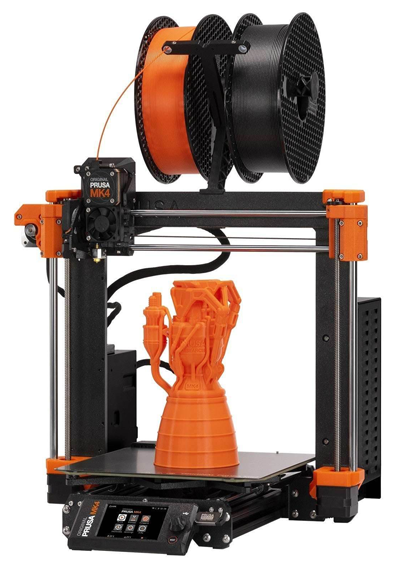
You can request a 3D print online or in your local library branch. The library uses Prusa MK4 3D printers for all 3D printing services.
More Information
- Resources about 3D Printing
- Users of this service must agree to the library’s 3D Printing Policy
- Print requests are handled on a first come/first serve basis
- The library will schedule one print per patron at a time
- In the event of a high volume of requests, staff reserve the right to limit prints to 4 requests per month per person
Design
- Patrons must supply their own design files for printing and will be responsible for editing and troubleshooting their files
- Files must be in either .stl, .obj or .3MF format
- The limit for file sizes is 100 MB.
- Maximum print time: 4 hours
- The library is not responsible for failed 3D prints, although we will do our best to assist in successful 3D printing
- The library reserves the right to refuse a 3D print request
Keywords: ePrint, print, printing, ePrinting
